
Neon rhythm climber
Orbit Jump
Find your flow. Keep climbing.
Tap between platforms around a 3D tower. Follow the music for score streaks and climb ahead of the rising camera.
Closed testing complete · coming soon to Google Play
Closed testing is complete. The countdown to launch on Google Play has begun.
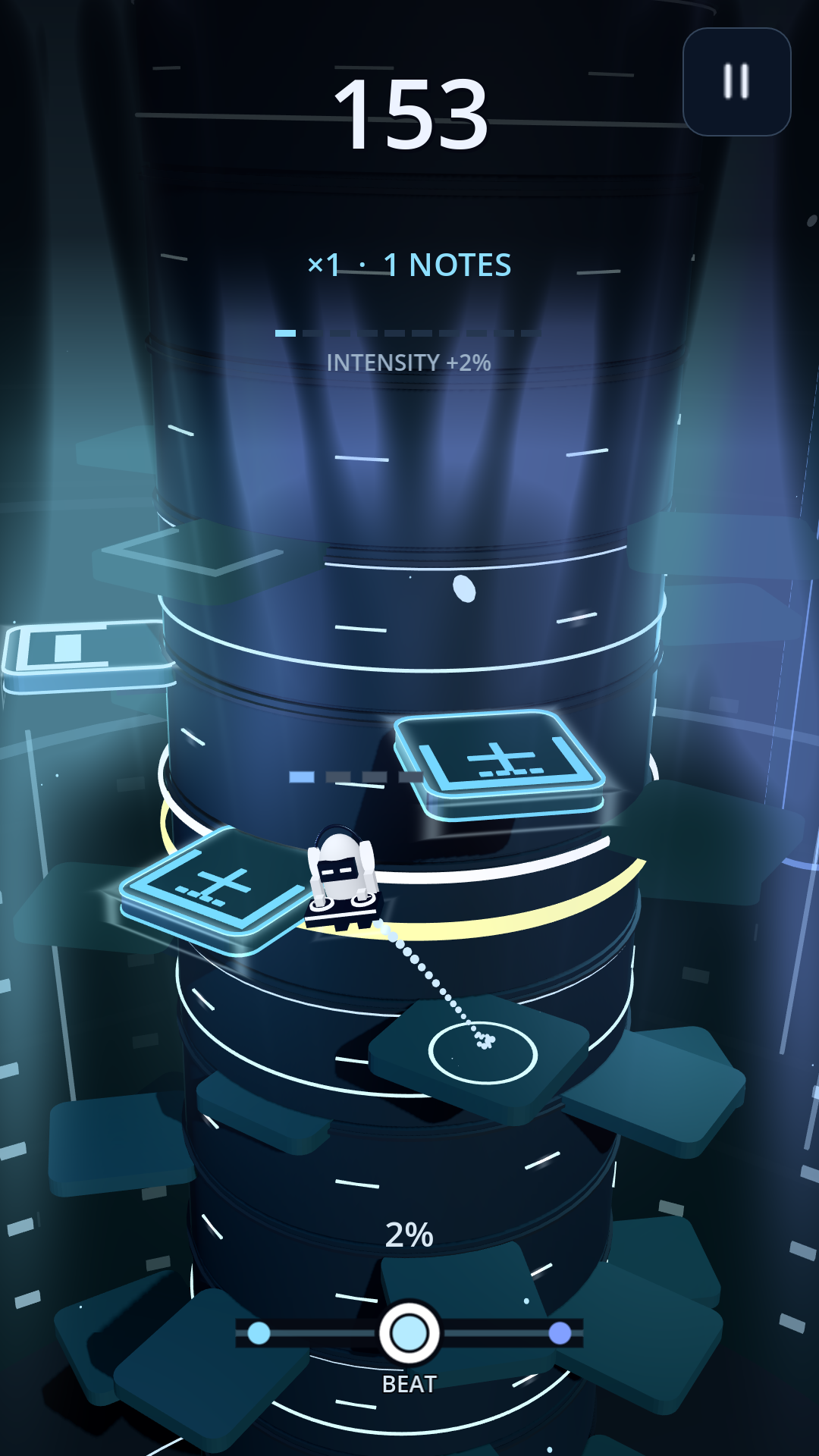
How to play
Two directions. One way up.
Choose your jump
Tap the left or right half of the screen to jump to the next platform around the tower. Watch moving platforms for a safe landing.
Follow the rhythm
Time successful jumps to the music’s beat for bonus points and streaks. Multiplier choices offer more points with greater risk.
Stay above the drop
Keep climbing as the camera rises. Miss a platform and you fall the full height to the ground before the run ends.
What’s inside
Your music. Your climb. Your style.
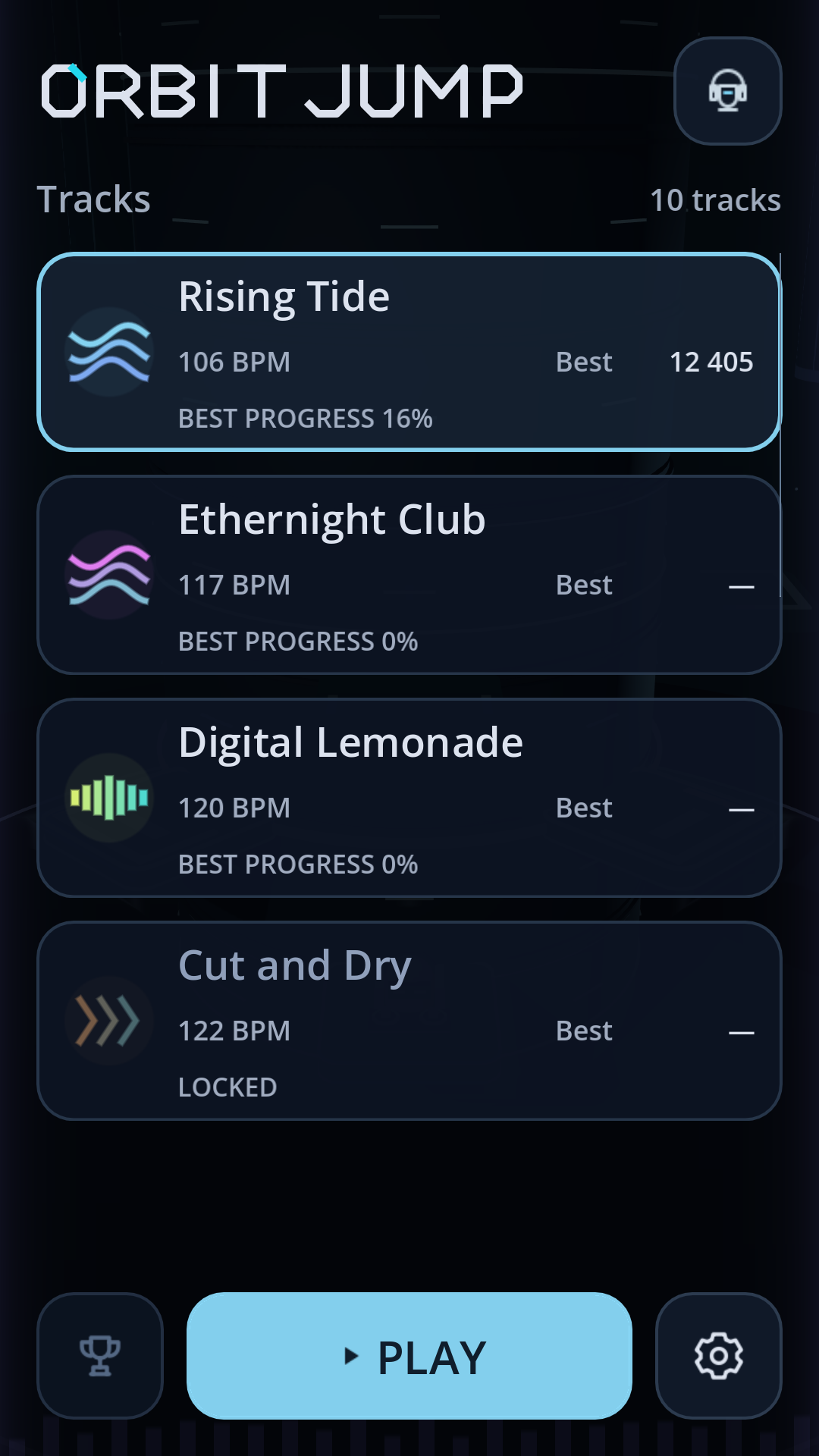
Ten tracks to master
Start with Rising Tide, Ethernight Club, and Digital Lemonade. Complete a different song for the first time to unlock the next track. Keep climbing beyond 100% for a longer run.
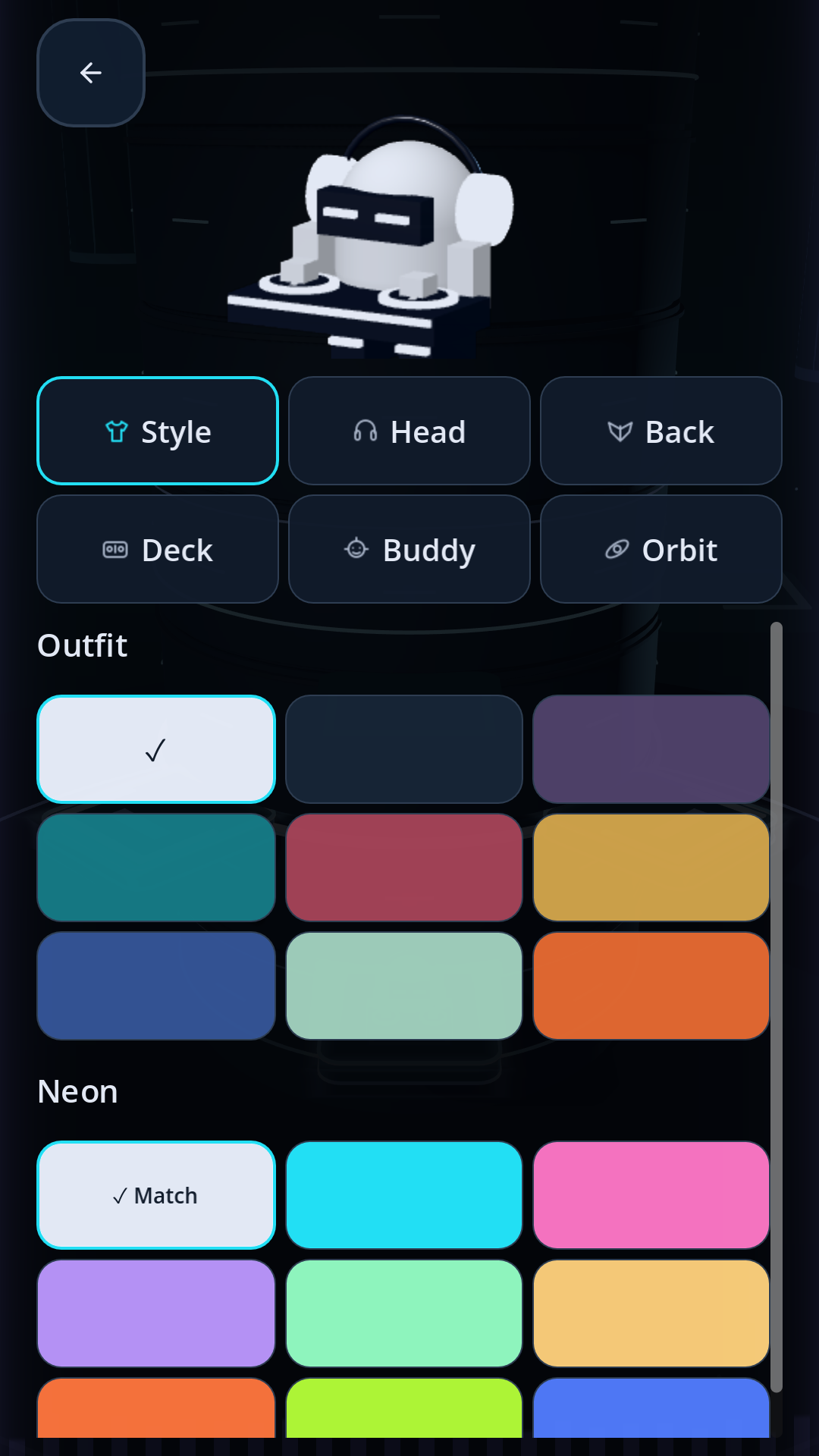
Make the DJ yours
Choose outfit and neon colours, then earn accessories through song milestones. Selected songs offer extra mastery rewards for reaching 200% in one run.
A best for every song
Track your personal bests and progress locally. Optional Google Play Games integration provides per-song leaderboards for eligible testers; no sign-in is needed to play.
Optional one-time purchases include song unlocks, selected accessories, and Remove ads. Prices are shown by Google Play in your region; there are no subscriptions.
Test ads may appear after completed runs, with the first two deaths in each app session ad-free. Later opportunities are limited by deaths and time. Read the privacy notice for ads, scores, and purchases.
Join the test
Your next track starts here.
We’re inviting Android players everywhere to help test Orbit Jump. Use the same Google account throughout: the one you use in the Play Store.
Closed testing is complete and Orbit Jump is getting ready for launch on Google Play. Thank you to every tester who helped shape it.
Join Logic Labs Testers
One Google Group covers every Logic Labs game. Open it and choose “Ask to join”; we review each request. Already a member? You’re in, so skip to step 2. You do not need to send us your email separately.
Ask to joinBecome a Play tester
Once your group request is approved and the release is available, open Google Play’s testing page and choose “Become a tester”.
Open Play testingInstall, play, tell us
Install from the link on the testing page. Try different tracks and share what feels great or needs work. Optional purchases can charge real money; buying anything is not required to test.
Send feedback
Already an internal tester?
Leave the internal test first, then opt into this closed test using the same Google account. Internal testing does not count towards the closed-test period. Keep your installed app and data.
How long should I test?
Please stay opted in for at least 14 consecutive days and play regularly during that time. Tell us about timing, performance, controls and anything that interrupts the fun.
What happens to my email?
Google Groups handles the request. Group owners and managers can see your membership details to manage access; the member list is hidden from other testers. Joining is for test access, not a marketing subscription. You can leave the group at any time. Read about tester privacy.
Google Play says the game is unavailable?
Check that your group request was approved and that you are using the same Google account on both sites. Changes can take a few hours to reach Google Play. If it still fails, contact us below.
Support
Need a hand?
For a Orbit Jump question or bug report, email gertodendaal@logiclabs.co.za.
Include your phone model, Android version, game version, and what happened. Screenshots are optional; remove personal information before sharing. Never send passwords or account credentials.
Privacy and data questions